Understand your files.
Not just your folders.
FileSight helps you find duplicate files, organize downloads, preview documents and understand your storage — entirely on your device.
project_report.pdf
2.4 MB
photo_2024.jpg
4.1 MB
duplicate_photo.jpg
4.1 MB
presentation.pptx
8.7 MB
notes.txt
12 KB
duplicate_photo_copy.jpg
4.1 MB
See it in action
A clean, intuitive interface built for understanding your files at a glance.
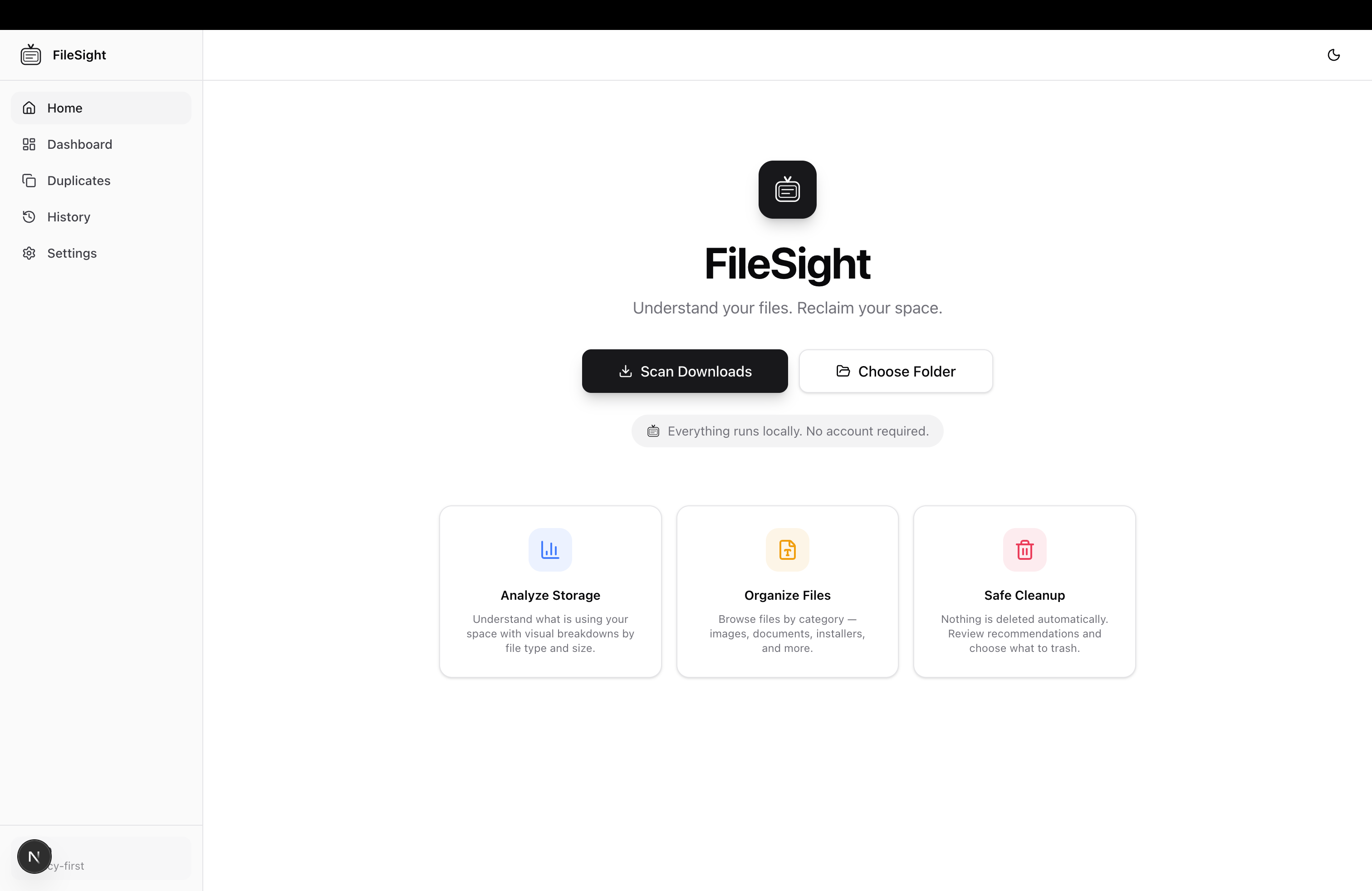
Home Dashboard
Sound familiar?
File chaos affects everyone. FileSight is built to solve these specific problems.
“My Downloads folder is a mess.”
The Download Organization Assistant automatically categorizes files into Documents, Images, Videos, Audio, Archives, Applications, and Code.
“I accidentally saved five copies.”
Duplicate Finder 2.0 uses SHA-256 hashing, similarity analysis, and confidence scoring to identify exact and near-duplicate files.
“I don’t know what’s taking space.”
Smart folder scanning shows you storage usage at a glance, grouped by file type, size, and location.
“I waste time searching for files.”
Fast local scanning indexes your files instantly. Preview panel lets you inspect content without opening separate apps.
“I can’t preview files quickly.”
Built-in preview panel supports images, PDFs, video, audio, and text files. No need to launch multiple applications.
Everything you need to manage your files
Powerful tools that work together to help you understand, organize, and clean your files.
Duplicate Finder 2.0
SHA-256 hashing, similarity detection, confidence scoring, and smart suggestions for which copy to keep.
Download Organization
Automatically categorizes files into Documents, Images, Videos, Audio, Archives, Applications, and Code.
Preview Panel
Preview images, PDFs, video, audio, text files and more without opening separate applications.
Open in Finder
Quickly jump to any file location in Finder or File Explorer with a single click.
Fast Local Scanning
Leverages native system APIs for high-speed file scanning. No indexing delays.
Scan History
Review past scans, track changes over time, and compare results between sessions.
Privacy First
Everything runs locally. No telemetry, no uploads, no accounts. Your files never leave your computer.
Smart Folder Scanning
Intelligently scan entire volumes or specific folders with filtering and exclusion rules.
How duplicate detection works
Multi-layered analysis minimizes false positives and gives you confidence in every cleanup.
Folder
Select any folder or drive to scan
Group by Size
Files are grouped by exact byte size for initial matching
Hash Files
Each file gets a unique SHA-256 fingerprint
Compare SHA-256
Hashes are compared to find exact duplicates
Similarity Analysis
Filename and extension similarity are analyzed for near-matches
Confidence Score
Each match gets a confidence score based on multiple signals
Suggested File to Keep
The best copy is suggested based on location, date, and name
Why this approach minimizes false positives
- Size-grouping eliminates obviously different files before hashing
- SHA-256 guarantees cryptographic certainty for exact matches
- Filename similarity catches renamed duplicates traditional tools miss
- Extension-aware matching prevents false matches between different file types
- Confidence scoring lets you decide what threshold to use
Your files never leave your computer.
FileSight is built with privacy as a fundamental principle. Every operation — scanning, hashing, previewing, organizing — happens entirely on your device. There is no cloud component, no data collection, and no way for your files to leave your machine.
No cloud
Everything runs on your machine.
No uploads
Your files never leave your computer.
No telemetry
We don't track what you do.
No account
No sign-up, no login, no data collection.
Local processing
All analysis happens on-device.
Privacy guarantee
- No internet connection required
- Zero data collection
- No analytics or crash reporting
- No user accounts or profiles
- Open source — fully auditable
- All data stored locally
What’s next
FileSight is actively developed. Here’s what we’re working on.
macOS App
v1.0 — Now
Windows App
v1.1 — Released
Smart Cleanup Suggestions
v2.0
AI Organization
v2.0
Cloud Drive Integrations
v2.0
Advanced Search
v2.0
Frequently asked questions
Everything you need to know about FileSight.
Get FileSight
Download the latest version for your platform.